
The $9 CRM for a business of one.
$9 flat. No tiers, no per-seat tax, no sales call. Contacts, deals, follow-ups and invoices in one place, working the minute you sign up. Add texting, calling and email campaigns whenever you want them, through your own accounts at cost.
14 days free · card required (not charged until day 15) · cancel anytime
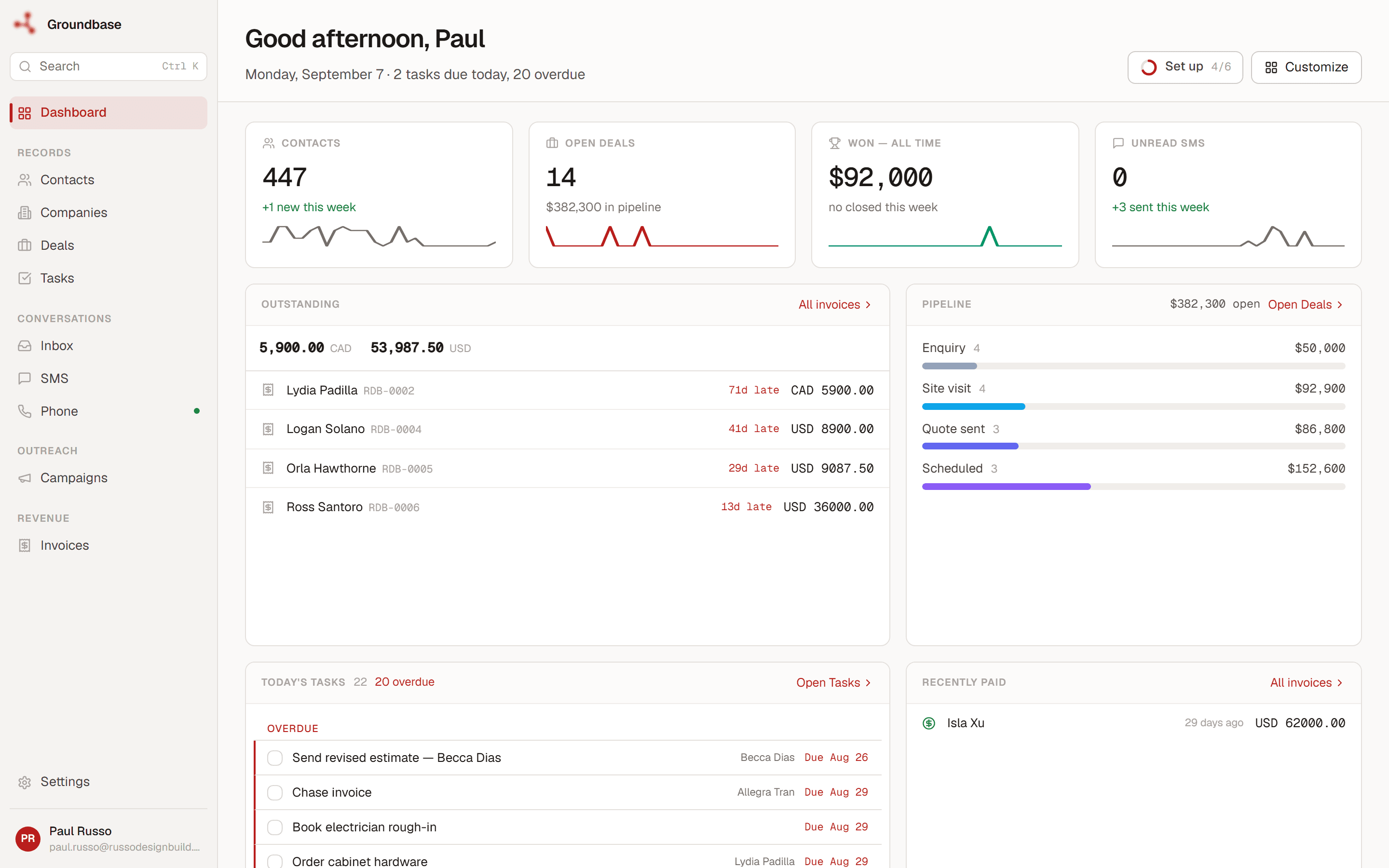
A CRM you actually own.
Solo founders, consultants, agents, agencies of one or two. Everything below is in the same $9. The parts that use Twilio or Resend are optional — the CRM works without them.
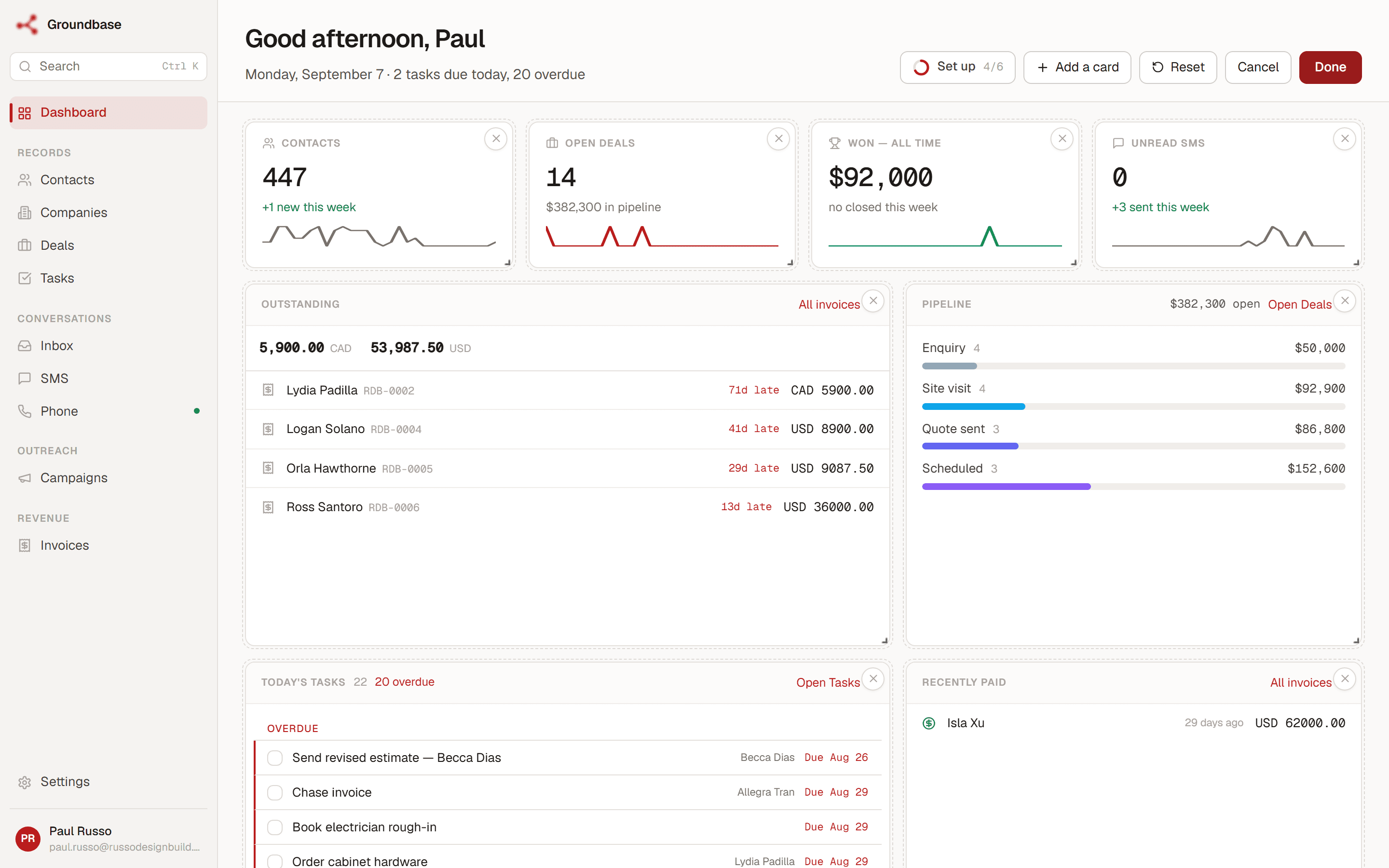
A dashboard you arrange like a desk
Drag the cards, resize them, add the ones you want and delete the ones you don't. Pipeline, outstanding invoices, today's tasks, unread texts — whatever your morning actually starts with. Your layout follows you across web, desktop and mobile.
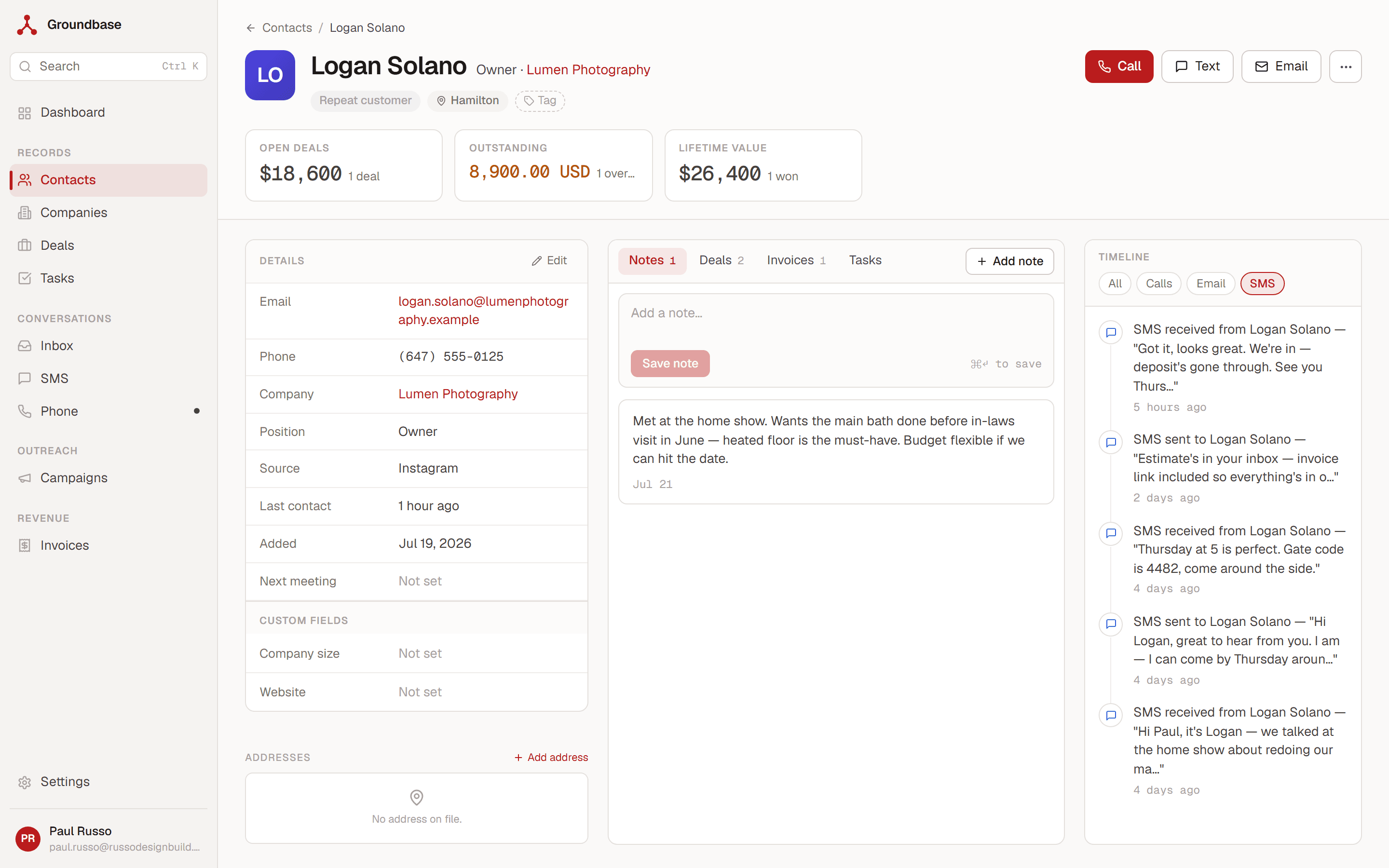
The whole customer on one screen
Custom fields, tags, saved views — and a record that shows the conversation, the deal, the invoice and your notes together. When Logan texts back, you can see what he owes and what you quoted without opening four tabs.
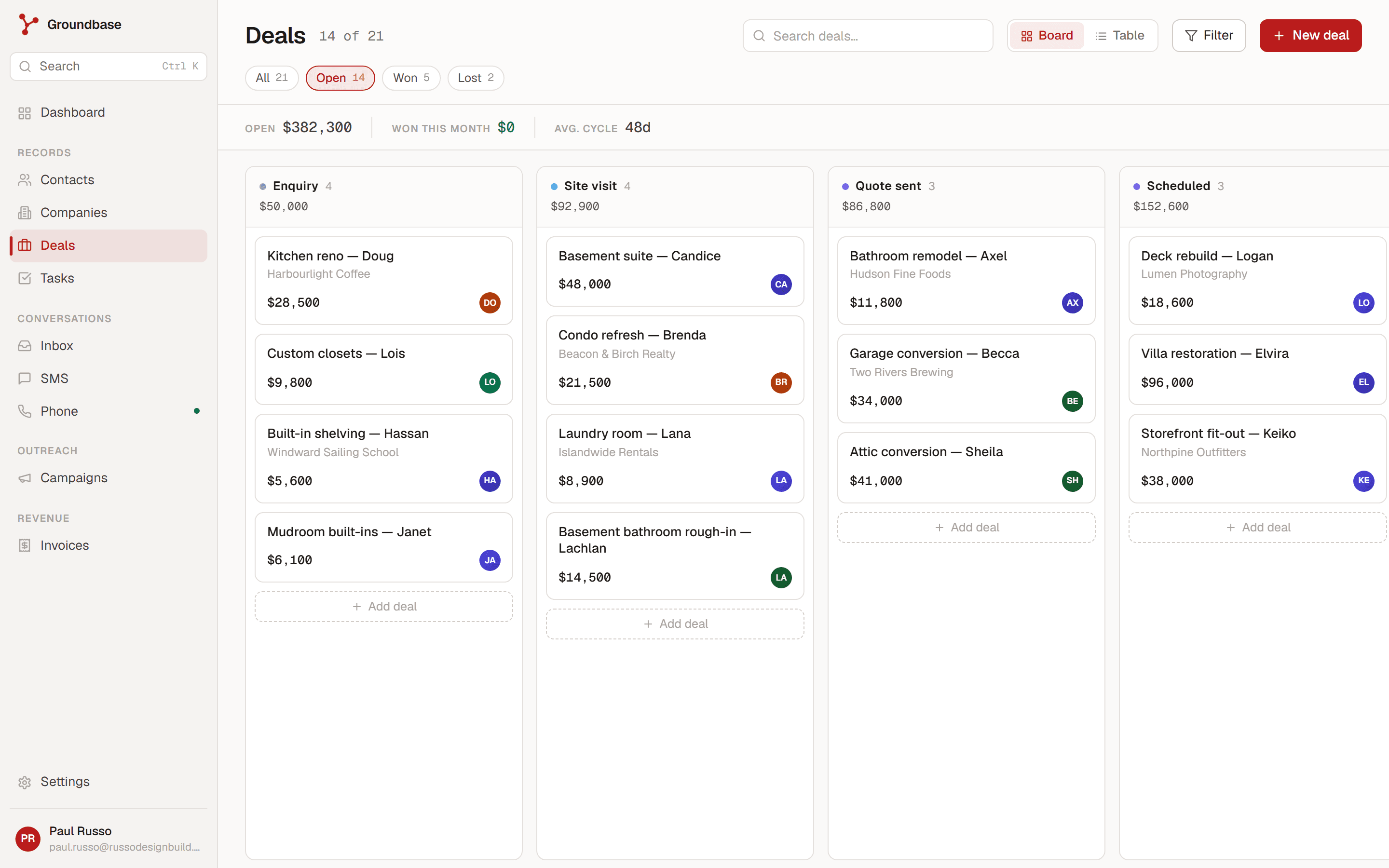
Pipeline that's just a kanban
Drag-drop, multiple pipelines, custom stages, values that roll up. Move a deal by dragging it. No five-step modal, no required fields.
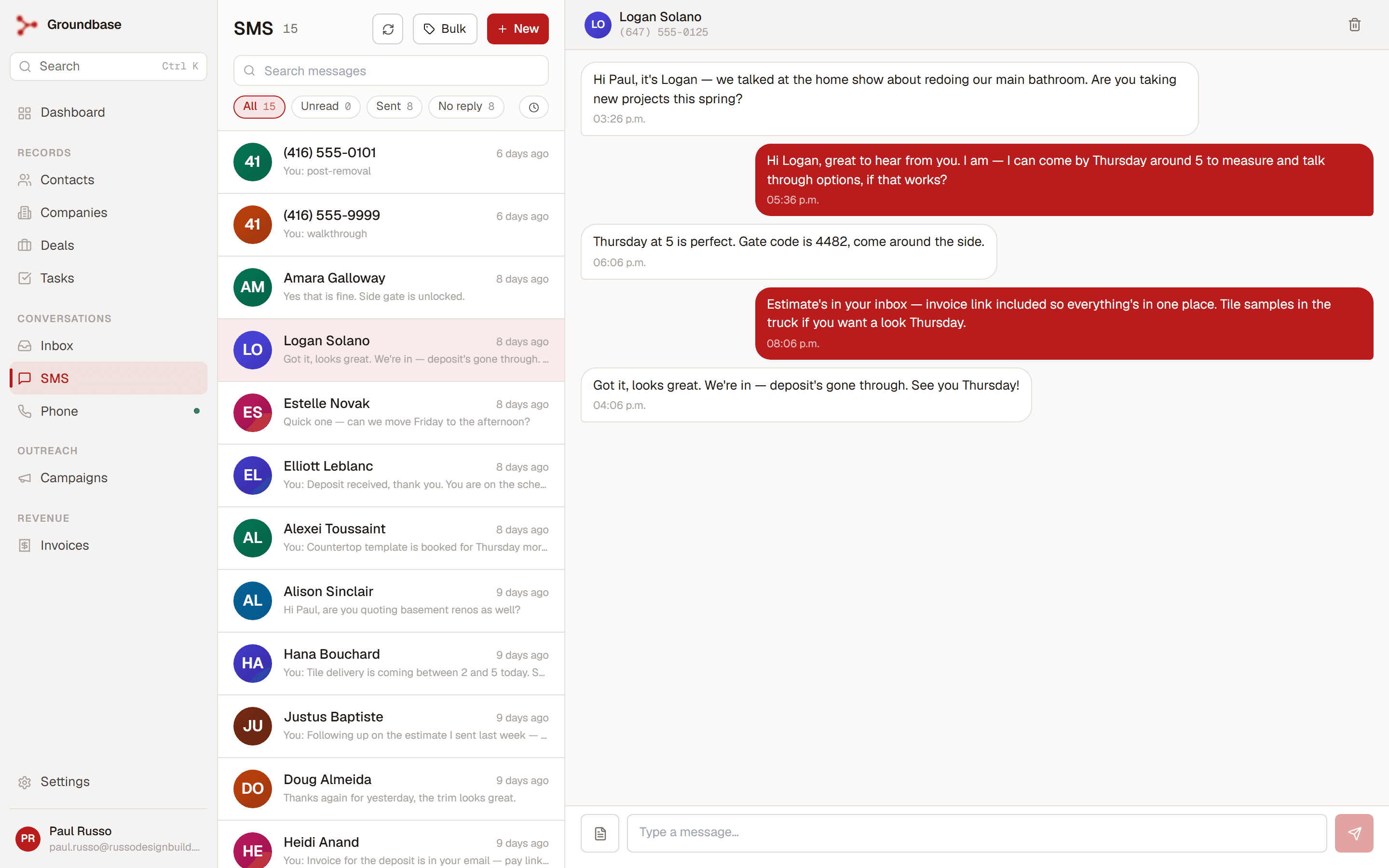
Bulk SMS without the markup
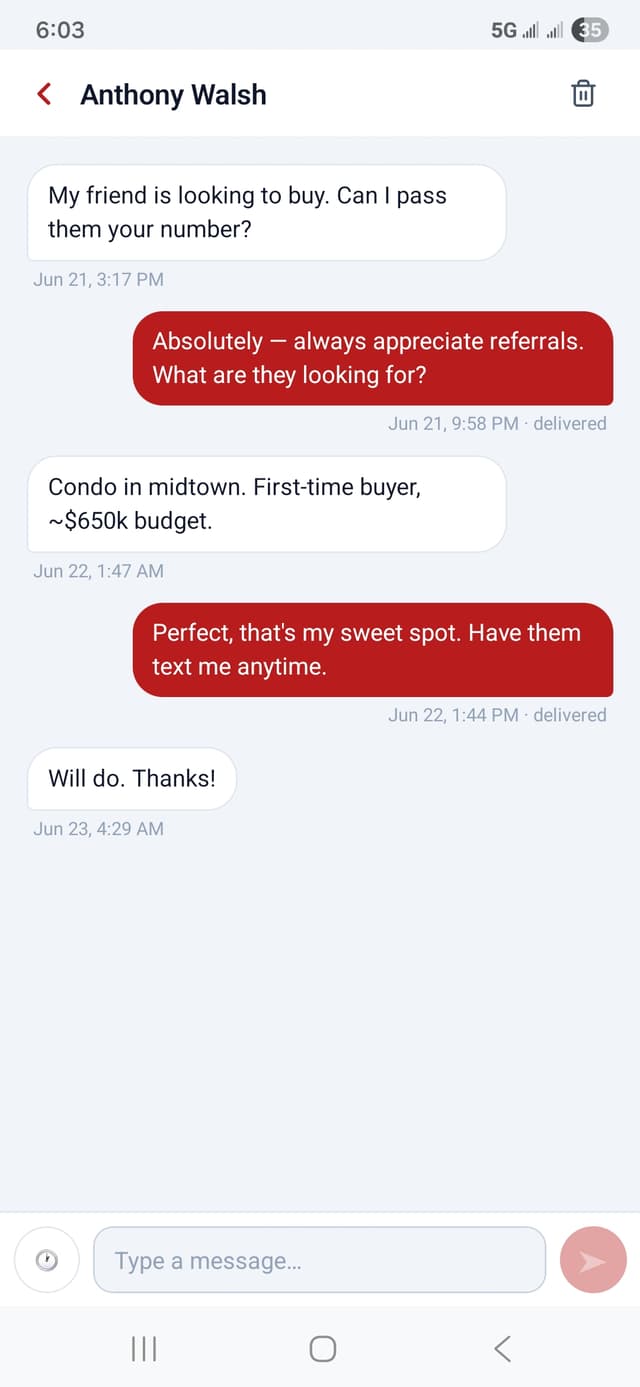
Real two-way threads, scheduled send, bulk SMS with throttle + opt-out, templates with merge tags, MMS. Sent through YOUR Twilio number at Twilio's rate — we don't see it.
Softphone + voicemail drops
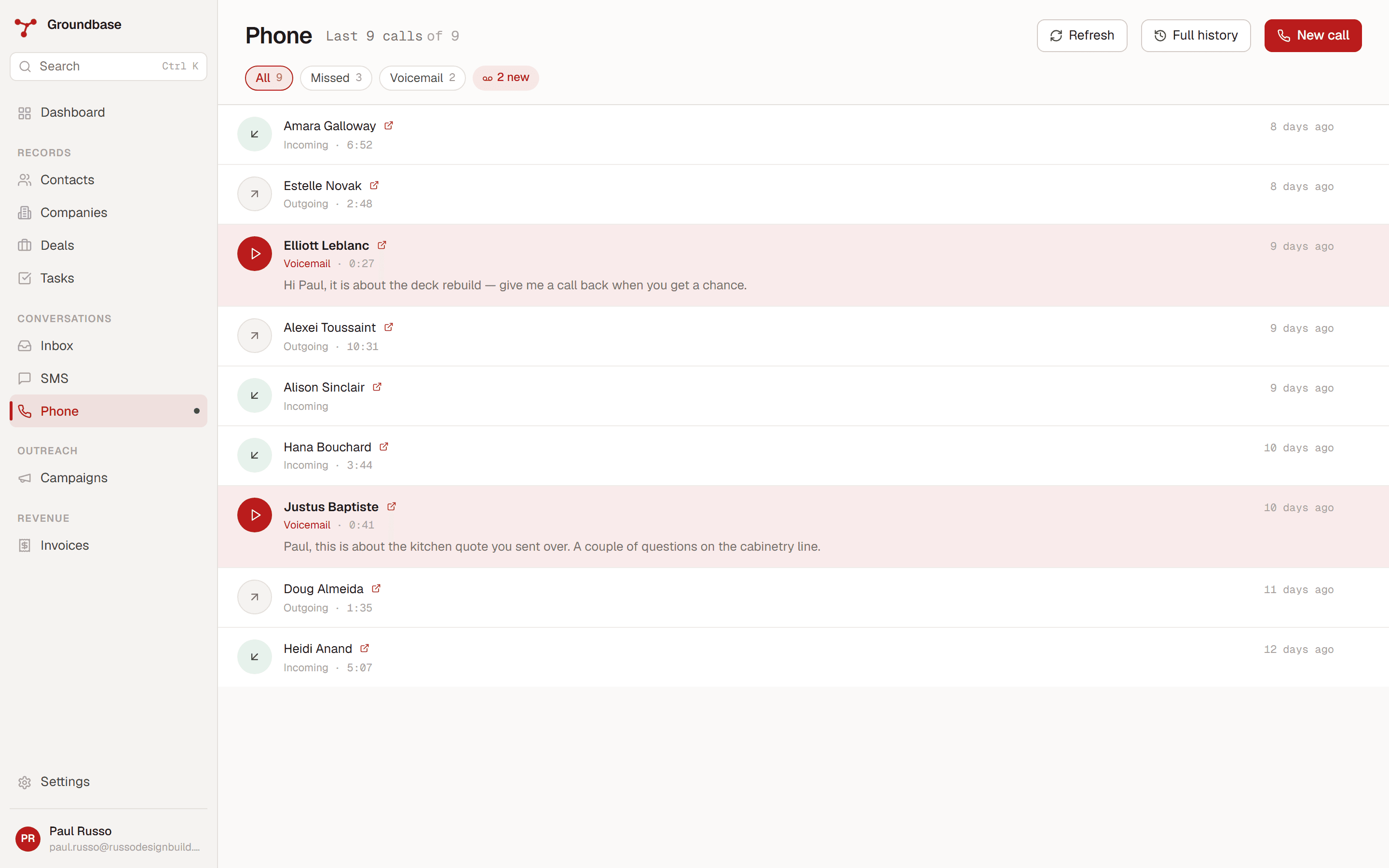
WebRTC softphone in every app — make and receive calls anywhere you're signed in. Pre-record your voicemail drop, hit one button mid-call to leave it, hang up while it plays.
Cold outreach that behaves itself
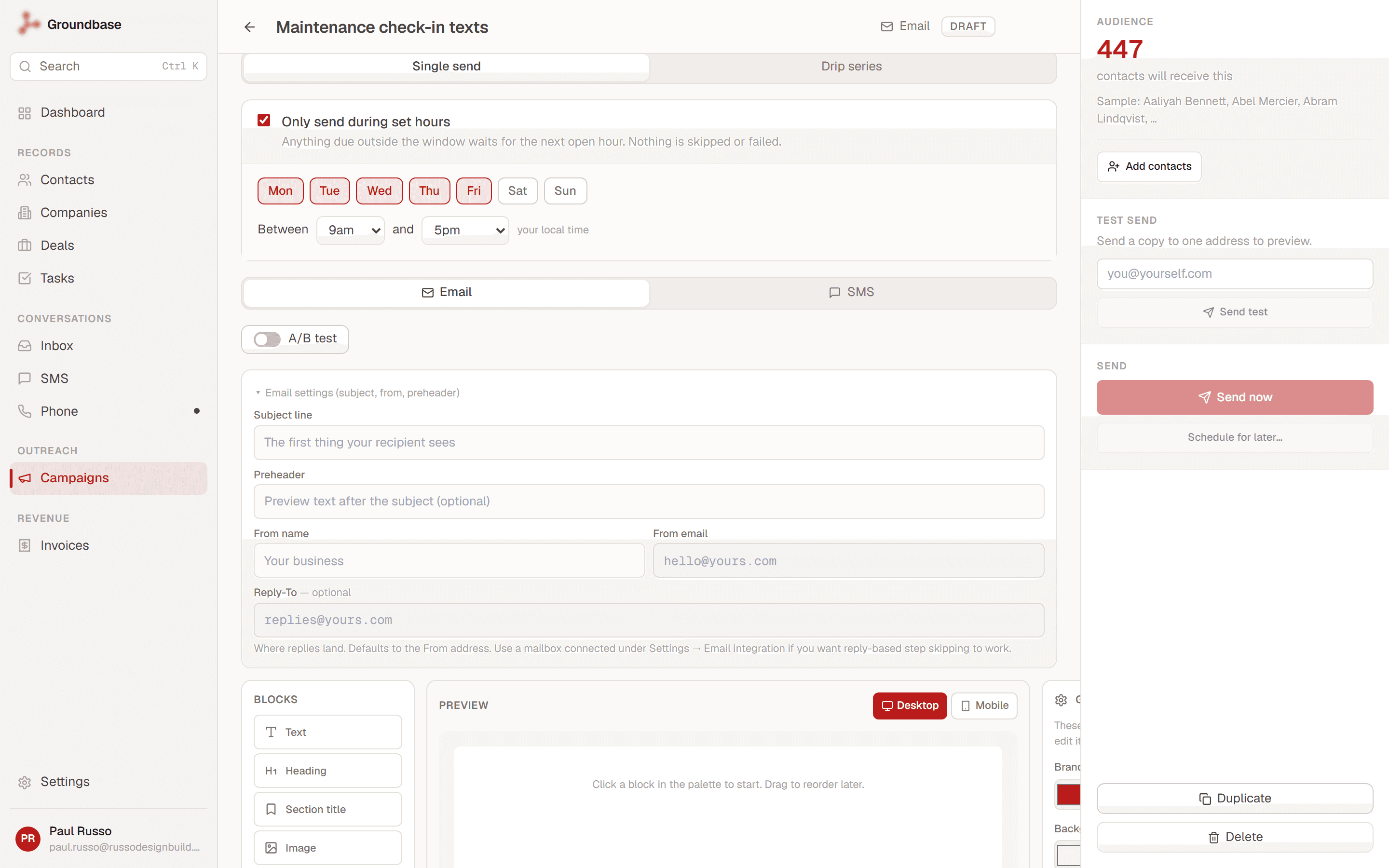
Multi-step drip campaigns that stop the moment someone replies — nobody who answered gets wave three. A daily send cap warms a fresh domain instead of burning it, and a sending window keeps 3am sends from happening. Delivery and bounces tracked per recipient. The tools that do this properly charge $37–97 a month; here it's part of the $9.
Invoices, payments and receipts
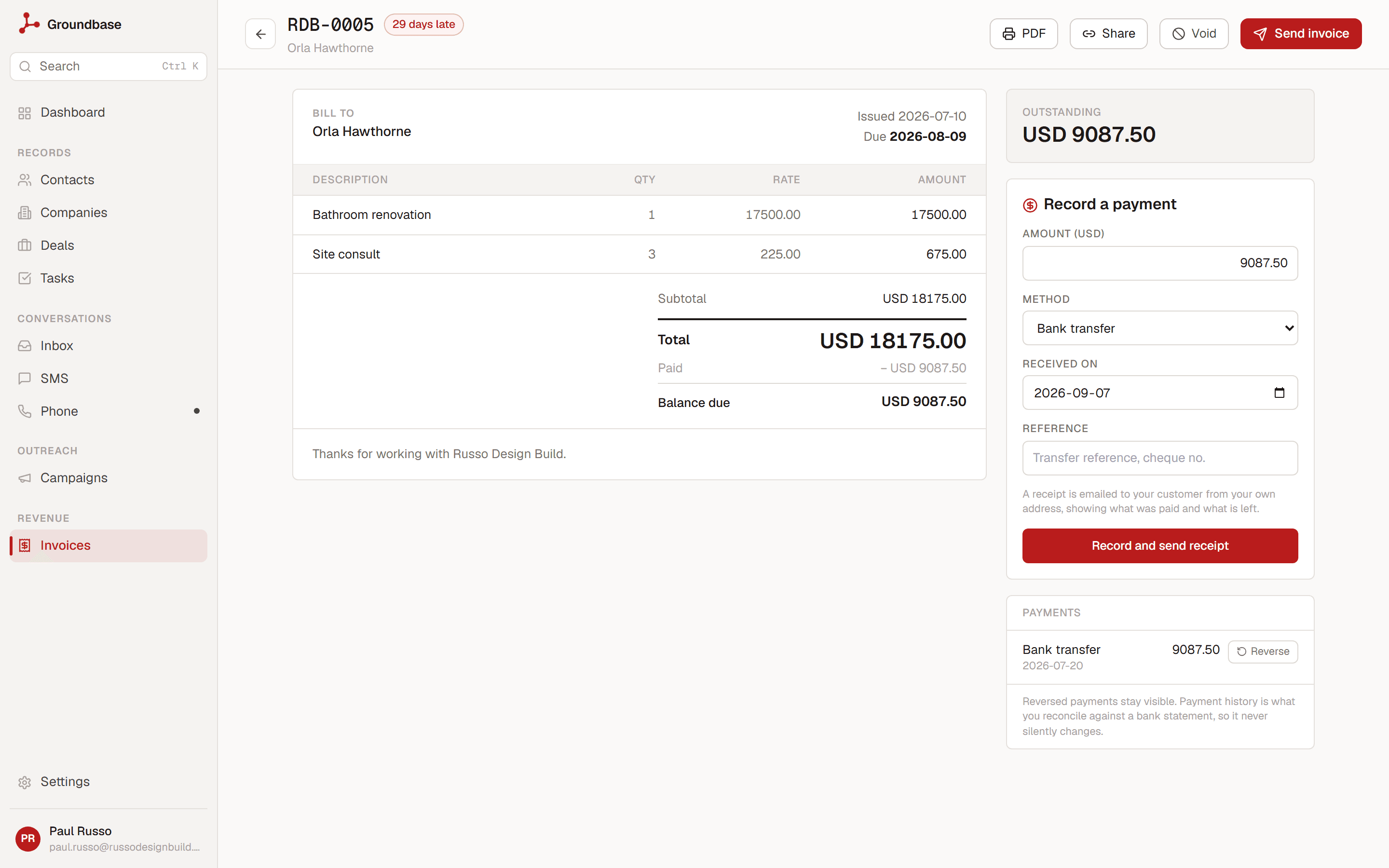
Bill the contacts you already have — no separate customers list to keep in sync. Part payments show a running balance, every payment history line reconciles against a bank statement, and a numbered receipt goes out automatically from your own email address — never ours. Customers can pay by card through your own Stripe, and we take nothing on top.
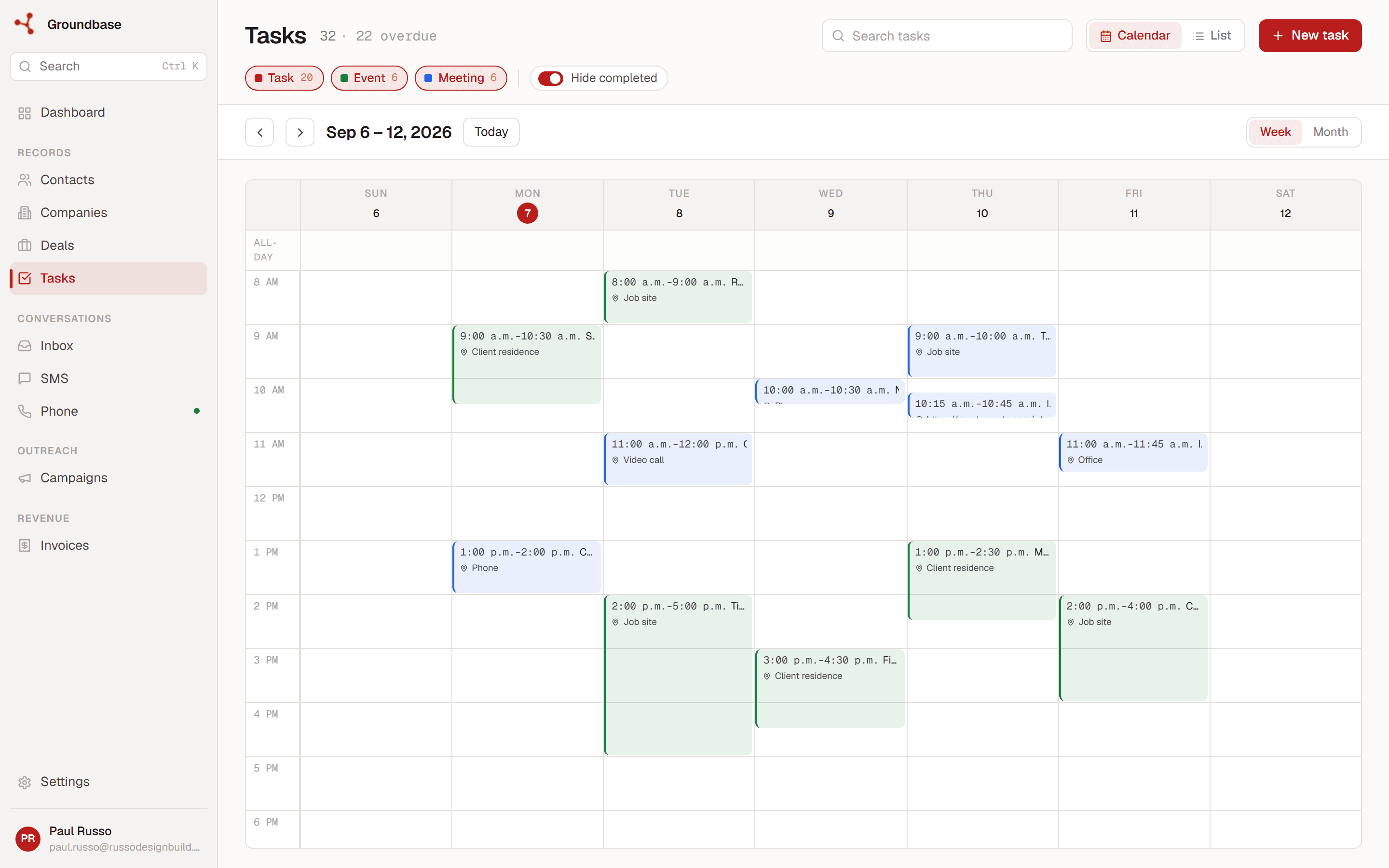
Tasks, events, recurring work
One calendar for tasks, events, and appointments. Recurring tasks for the monthly check-ins you'd otherwise forget. Overdue items pinned to the top — you can't miss them.
Plus: booking links, AI assistant via the Model Context Protocol, full data export anytime, daily backups. See full feature list →
Web, Windows, and Android.
Sign up on the web. Install the native apps any time after — same login, real-time sync across all three.
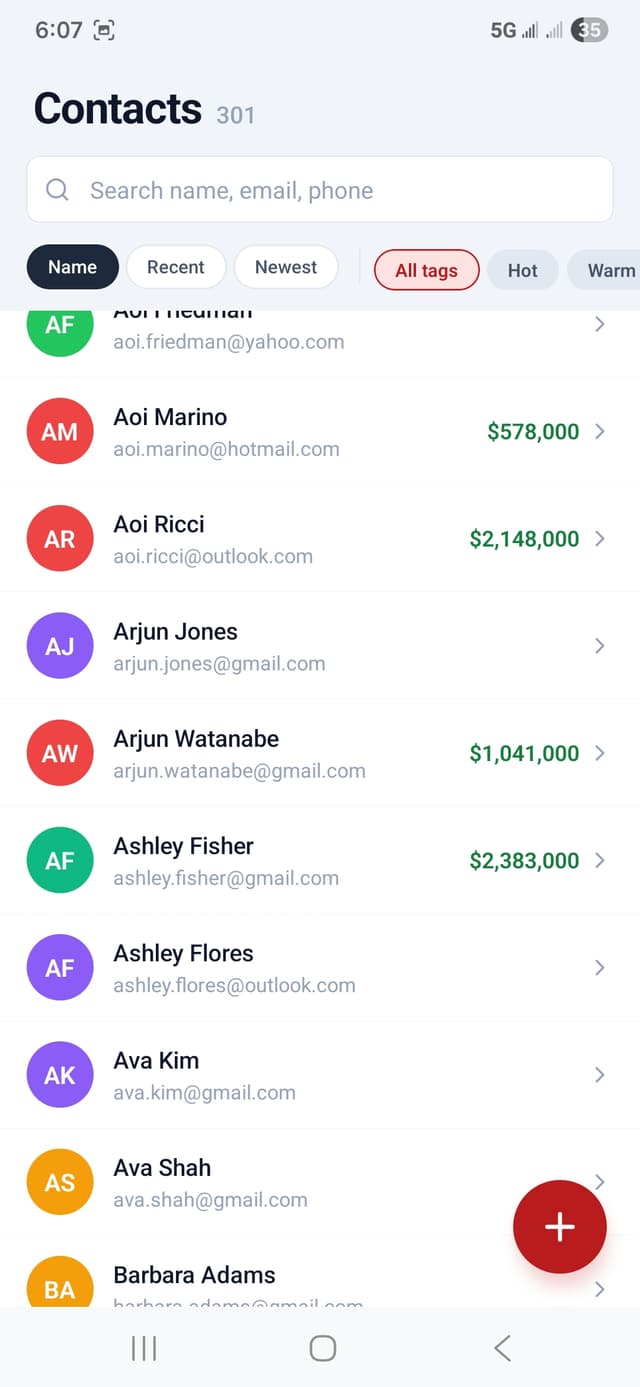
Your CRM in your pocket. The everyday work, synced with web and desktop.
Native Android app with the full softphone, SMS, contacts, deals, and tasks. iOS works through Safari with Add to Home Screen (native iOS coming after Android stabilises in production).
- WebRTC voice calls in either direction
- SMS threads and read state shared with desktop and web
- Contact + deal CRUD, tags, notes — same data, any surface
- Sign in with the same credentials as web; signup only happens once on app.groundbasecrm.com
We distribute by APK (not Google Play) to avoid Play's 30% commission on in-app purchases. That's how we keep the price flat at $9.
When something happens, it gets handled.
Workflows react to what happens in your CRM. Webhooks bring leads in from your forms and send events out to Slack, Zapier or your own code. Both run on our servers, so nothing waits for your laptop to be open.
Workflows: when this happens, do that
A small rule you build in a minute. A deal is won, so create the follow-up task. A lead comes in from Google, so tag them and call back today.
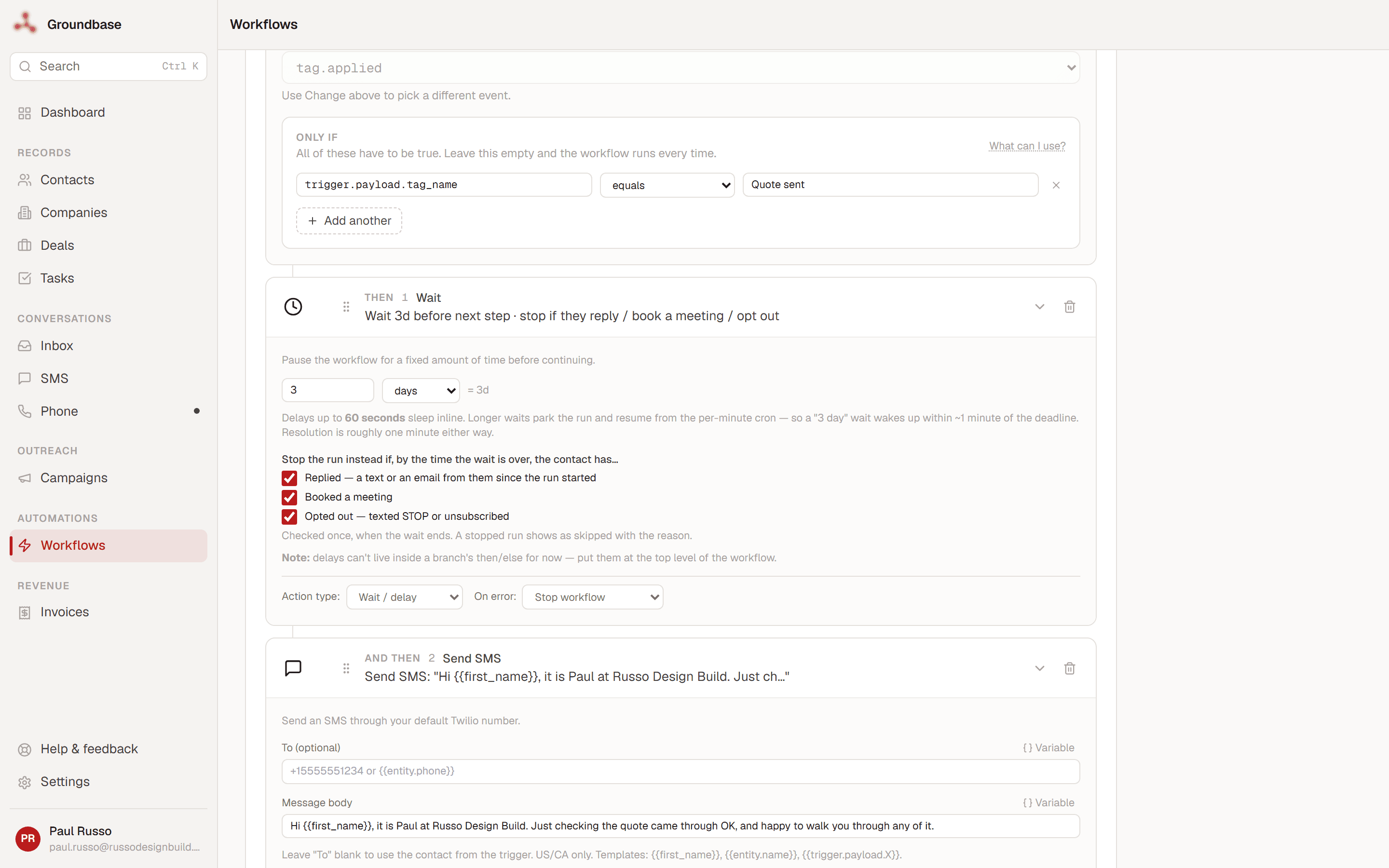
- →Pick a trigger. A contact is added, a deal is won or lost, a tag is applied, a text arrives, an invoice is paid, a form posts, or a schedule you set.
- →Add the steps. Text or email them, tag them, add a task or a note, update a field, call a webhook, or branch on a condition.
- →Wait, and stop if they answer. A wait of up to 30 days can end the run early if the person replies, books a meeting or opts out, so a nudge never lands on someone who already got back to you.
- →See every run. The history shows what each step did, and why a run was skipped or stopped.
Webhooks, in both directions
Connect the tools you already use without anyone retyping a lead. Pick a card, paste a link, done.
- →Into Groundbase. Website forms, Typeform, Jotform, WordPress, Wix, Squarespace, Calendly and Zapier. Each submission becomes a contact, with the message kept as a note and a tag applied. A Calendly booking arrives with its meeting.
- →Out of Groundbase. New contacts, won deals, paid invoices and every other event, sent to Slack, Discord, Zapier, Make, n8n or your own endpoint.
- →Built to be relied on. Every request is signed, failed deliveries are retried for up to 15 hours, and you can see each delivery's status and response.
- →A form can start a workflow. “When a form comes in, text the lead” is one link and a two-step workflow.
Included in the $9/month, like everything else. No automation add-on, no per-run fees.
Drive your CRM from Claude, ChatGPT, or Cursor.
Groundbase ships with a built-in MCP (Model Context Protocol) server. Point your MCP-aware client at it and your AI can read and write your CRM — contacts, deals, tasks, campaigns, invoices, workflows — in plain English. Bring your own model. We don't care which one.
- →“Find every trial signup from last month who hasn't logged in this week and queue a check-in email.” Done. AI runs the query, drafts the messages, you review and send.
- →“What deals are at risk this month?” AI scans your pipeline, identifies stalled deals by stage age, tells you who to follow up with first.
- →“Draft a re-engagement drip for trials that expired without converting.” Subject lines, body copy, audience filter, schedule — built as a draft you review before sending.
Works with any MCP-compatible client — Claude Desktop, ChatGPT Desktop, Cursor, your own agent. Your CRM, your AI key, no lock-in. MCP setup guide →
Bill the people already in your CRM.
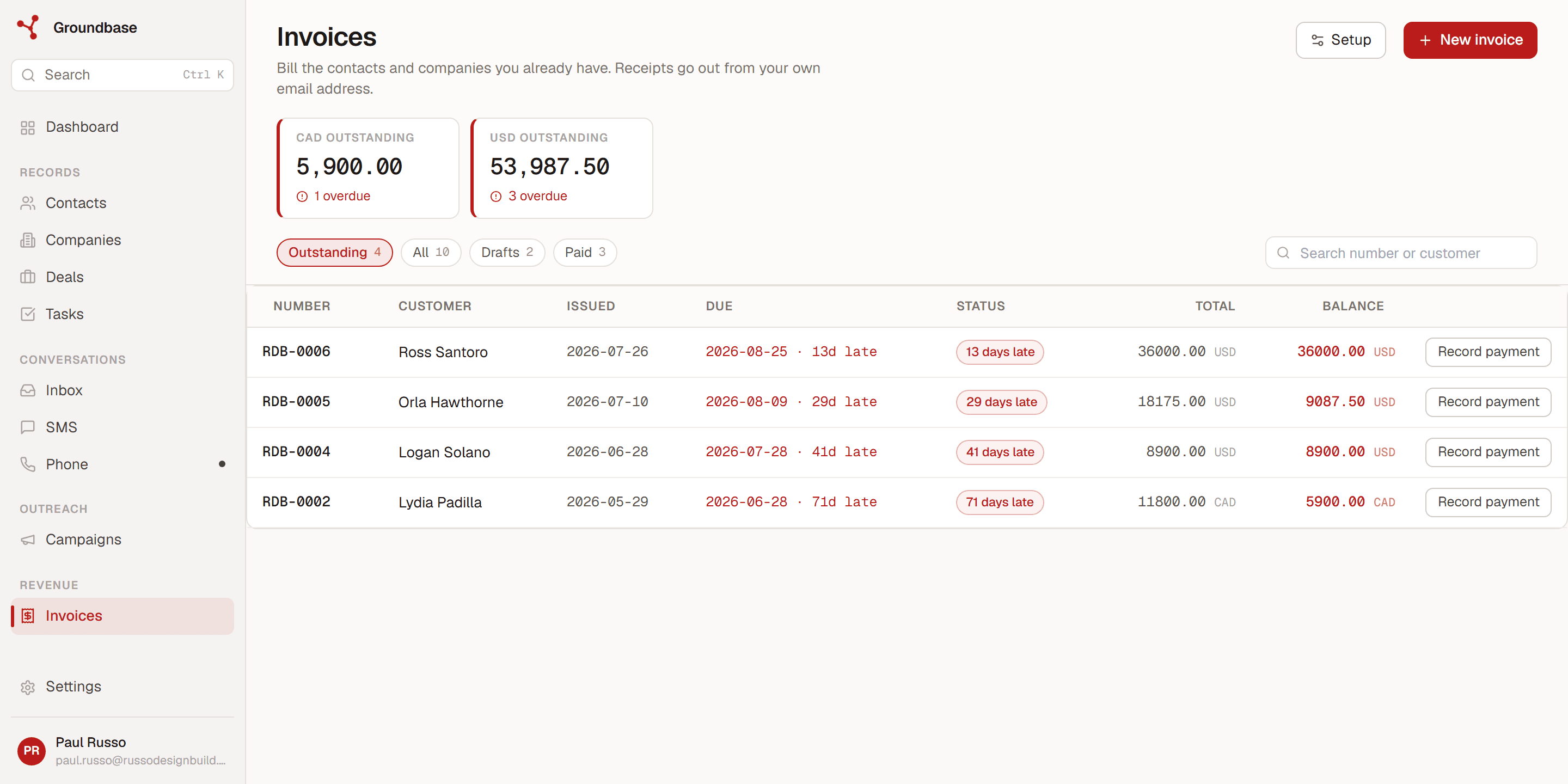
Invoices are built from the contacts and companies you already have — no re-typing a customer into separate accounting software, no export, no second subscription. Issue it, send it from your own email address, and watch the balance settle in the same place you track the work.
- →Card payments through your own Stripe. Connect your Stripe account and every invoice gets a payment link. The money lands in your account — we never touch it and take nothing on top.
- →Part payments and running balances. Record a deposit, and the invoice keeps showing what is left. Payment history stays visible so it reconciles against a bank statement.
- →More than one currency. Bill a local customer in CAD and an overseas one in USD, with saved items priced separately in each — no mental exchange-rate maths.
- →Your hours become the lines. Start a timer on a contact or deal, or log the time afterwards, and the unbilled hours drop onto the next invoice at your rate — one click, no timesheet to retype.
- →Overdue is obvious. Outstanding totals per currency at the top, days-late on every row, so chasing money is a glance rather than a spreadsheet.
Included in the $9/month. No per-invoice fee, no percentage, no separate invoicing plan.
BYO Twilio. BYO Resend. We stay out of the way.
Reselling comms would mean marking you up 30–50% to cover overhead and risk. Instead you connect Twilio and Resend with your own keys, pay them direct at their published rates, and we don't see a cent of usage. Your numbers, your domain, your data. Take it all with you any time.
Twilio — SMS + voice
Sign up at twilio.com, buy a number (~$1.15/month), paste your Account SID + Auth Token. Twilio charges $0.0083 per SMS plus US carrier fees, and ~$0.0106/min for voice — billed straight to your Twilio account, not ours.
Resend — email campaigns
Free tier covers 3,000 emails/month. Sign up at resend.com, verify your sending domain, paste your API key. Resend handles deliverability; Groundbase handles the editor + schedule + tracking.
AI — Claude, OpenAI, your model
Optional. Plug any MCP-compatible client into Groundbase and your AI can drive the whole CRM. Anthropic, OpenAI, or whatever you self-host. We don't proxy AI calls; your key, your usage, your bill.
You don't need any of this to start. Contacts, deals, tasks and invoicing work on their own from day one. Connect Twilio or Resend the day you want texting, calling or campaigns — the setup guide walks you through it, and you keep paying them direct at their rates.
One price. Everything included.
No tiers, no per-user pricing, no upsells.
Billed monthly via Stripe · 14-day free trial · cancel anytime
- ✓Unlimited contacts, deals, tasks, notes
- ✓SMS + voice through your own Twilio (you pay Twilio direct, no markup)
- ✓Email campaigns + drips through your own Resend
- ✓AI assistant via MCP
- ✓Voicemail drops — record once, drop mid-call
- ✓Time tracking and invoicing, built from the same contacts
- ✓Web + Windows desktop + Android mobile, real-time sync
- ✓Two-factor authentication, full data export
Card required to start the trial. Nothing is charged until day 15.
Want to see if it's worth $9? Read the full feature breakdown →
One developer. No VC. No bullshit pricing tiers.
Groundbase exists because every other CRM was charging me twice — once for the seat, again for the messages they were already sending through Twilio anyway. The whole point of this product is a straight line between “sign up” and “send the message” with no middleman in the middle.
BYO is the unlock. You connect Twilio, Resend, and your AI key directly, and you keep ownership of the whole stack — your numbers, your domain, your data, your usage bills. If you ever leave, you take all of it with you. That's the deal, in writing, and it's why we can stay at $9 forever.
The honest FAQ
What does $9/month actually get me?+
Who is this NOT for?+
Why bring-your-own?+
How do you stop repeat free trials?+
What happens if my payment fails?+
Mac? iOS?+
Can I cancel?+
Can I export my data?+
More questions? Browse the help docs or email support.
Try it free for 14 days.
Card required, not charged until day 15. Cancel from Settings any time before then with one click. No phone number lock-in — bring your Twilio when you're ready.
Start free trial →